
Image is everything: How to create, curate and share PR images with impact
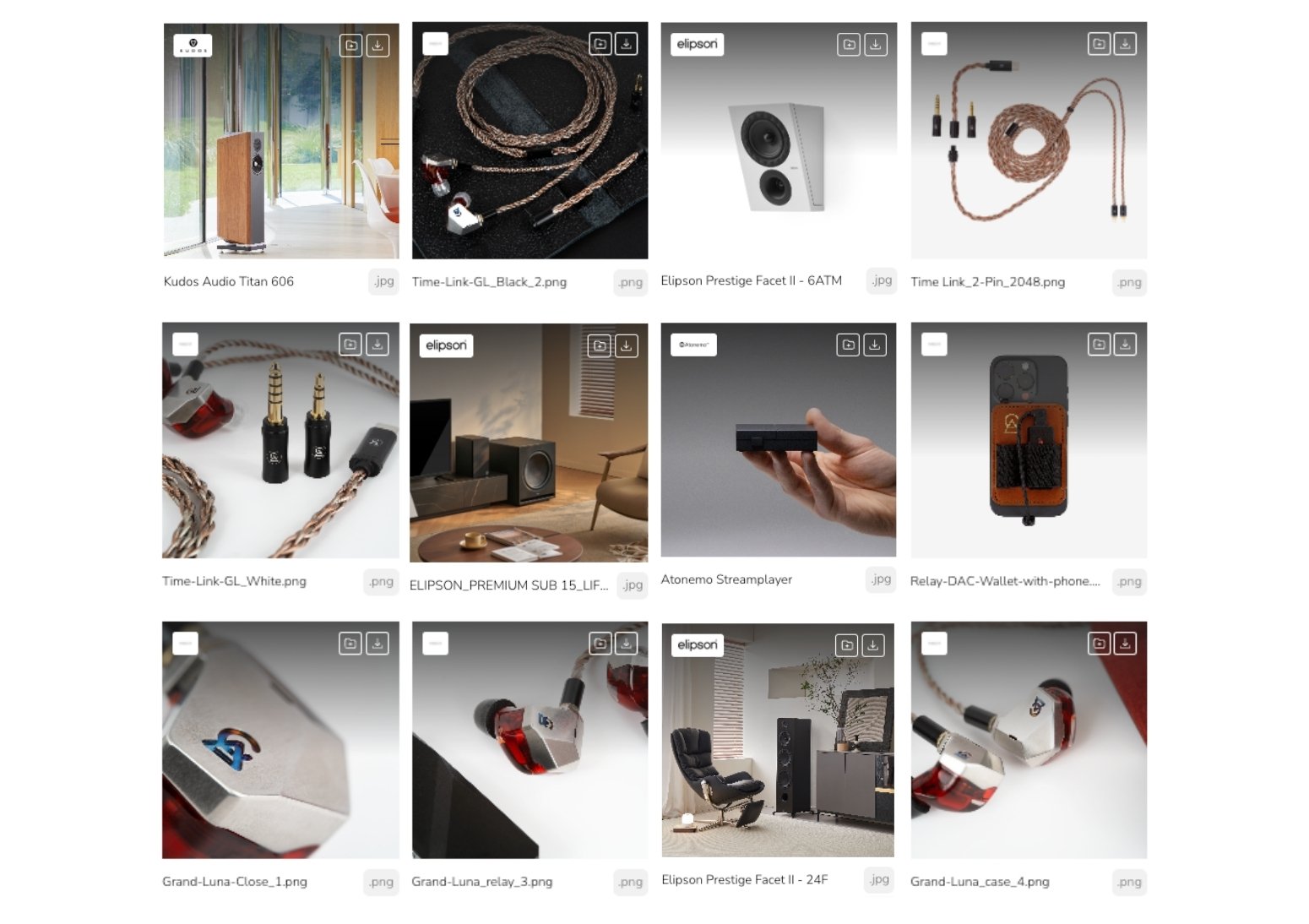
In today’s crowded media landscape, where attention spans are shrinking and visuals speak louder than words, your imagery needs to work harder than ever. Whether it’s for a product feature in a glossy magazine, an online tech roundup, or a standout ecommerce listing, high-quality visual assets are no longer a 'nice to have' - they’re essential.
They also need to be easy to find. Some brands and their PR agencies insist on gatekeeping images, wasting valuable press time on hunting down the pictures they need.
This is INSANITY!
You’ll lose coverage when journalists give up, and they’ll likely cover a rival brand or product whose images are readily available.
On Brandlifi, you can securely upload and clearly tag all your brand and product images, where they can be browsed and downloaded by the press 24/7. And our reporting tools show who’s accessed which images - making it super simple to follow up in person with key contacts and track upcoming coverage. We can even send you an email as images are downloaded!
So, what exactly do media professionals, content creators and beyond need from your image library in 2025? Here’s our guide.
Show the full story
Media want choice, and your product deserves to be seen from every angle - literally and metaphorically.
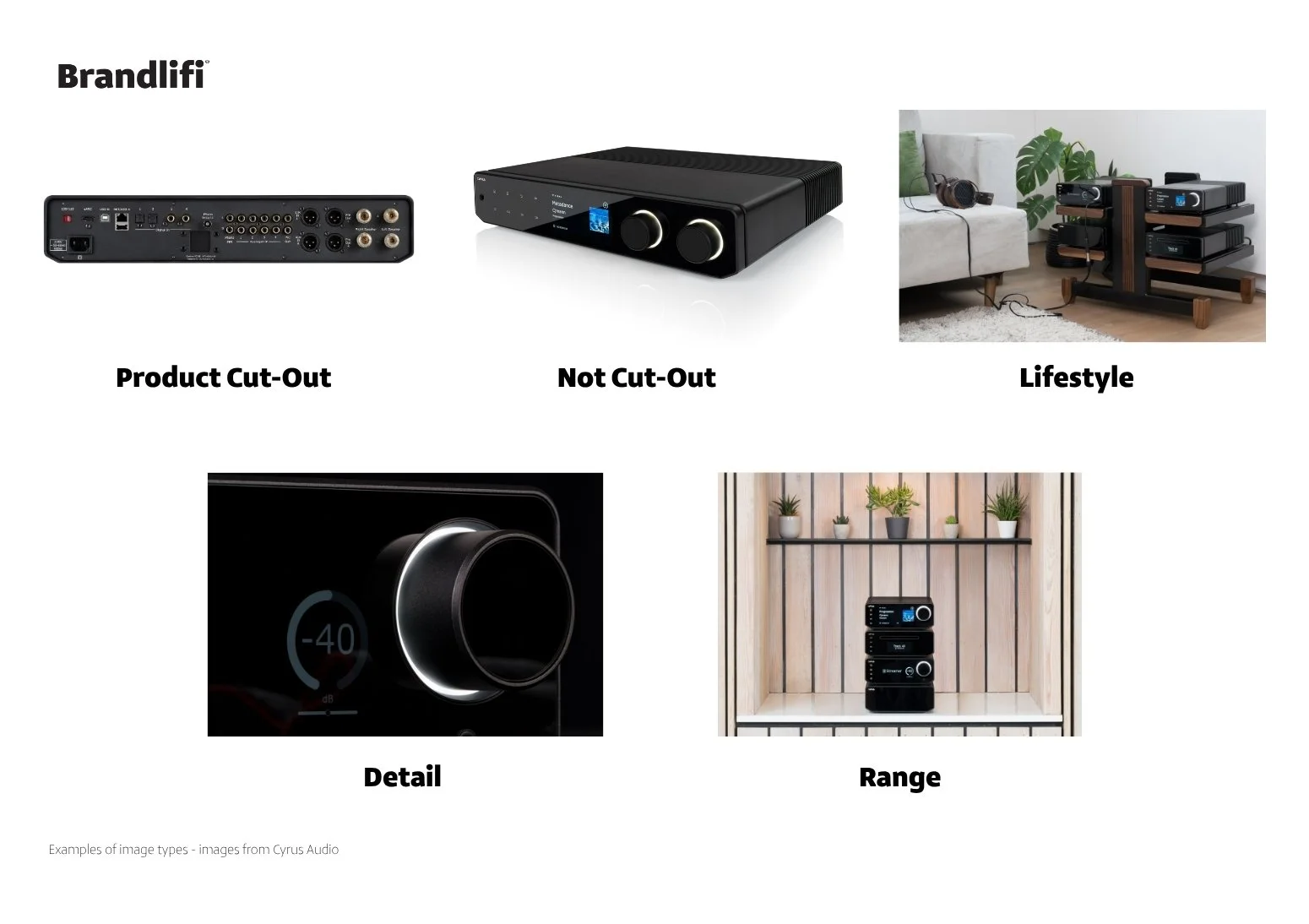
Product cut-outs (on pure white background):
Essential for multiple press slots, in print and online
Ideally, provide in PNG (with transparent background) and high-res JPG formats. More on what is (and isn’t) high-res shortly…
Lifestyle images:
Showcase your product in context – being used, worn, enjoyed.
Helps illustrate real-life use cases and appeal to different audiences.
Detail shots:
Highlight premium features, finishes, or technology (e.g., close-ups of controls, drivers, or materials).
Range images:
Show multiple colourways, sizes, or complementary accessories together.
Offer format options
Different platforms need different dimensions and orientations. The more versatile your image set, the more likely your product is to be featured.
Landscape (horizontal) – Ideal for websites, YouTube thumbnails, blogs, print spreads.
Portrait (vertical) – Great for mobile, social and narrow print-column layouts.
Consider the crop – certain print and online positions may need different treatments, e.g. a square shot or header picture. If you’re investing in a photoshoot, plan your compositions accordingly.
High-resolution or nothing!
If your images aren't high-resolution, they probably won’t get used. That used to be true just for print publications, but with device screens becoming ever-higher resolution, top-quality images are preferred for digital use, too. Higher resolution means flexibility - editors can crop, zoom, reframe or resize. What they can’t do is magically make small or low-quality images look good.
So, what is high-resolution? People get hooked up on image files sizes, but pixel density is the real key metric. 300dpi (dots per inch) is the industry standard. But consider the overall image size, too – your image could be 300dpi but the size of a postage stamp!
Picture your new launch splashed across a full page in a magazine. That (typically) A4 page measures 2480 x 3508 pixels – that’s your minimum width and height for a portrait image. Double that up for landscape images you’d love to see run across a double-page spread (with width becoming the longest length, obviously).
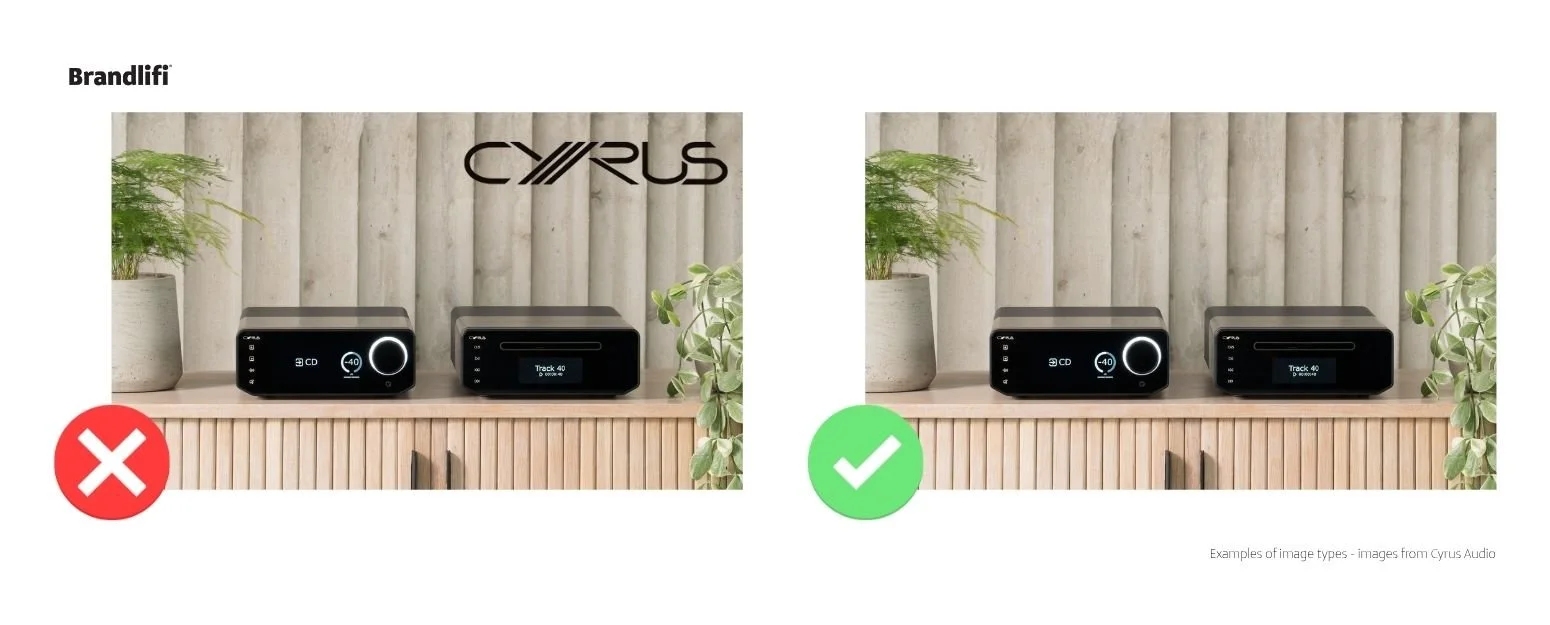
Avoid overbearing branding
Keep large or intrusive logos out of your press images – and most certainly avoid watermarks. Subtle branding is fine, but the focus should be on the product. (Keep more overtly branded images for commercial campaigns or a show stand.)
Avoid TIFFs in press packs
TIFFs may offer uncompressed quality, but they’re bulky, slow to download, and often incompatible with media workflows. Editors prefer images they can open, review, and use quickly - JPGs and PNGs get the job done without the friction. (Keep the TIFF files for large-scale use such as exhibition stands or billboard ads.)
Keep it real
Yes, AI tools are clever, and in the hands of a professional, can help enhance and refine your brand images. But avoid renders, mock-ups or any other obviously AI-generated fakery in your media image kit. At best it looks cheap; at worst it leaves you open to ridicule.
In conclusion, a well-prepared media image set isn’t just about looking good - it’s about being visible, usable and memorable.
Need help building and sharing your brand’s ultimate media image library? Let’s talk.